
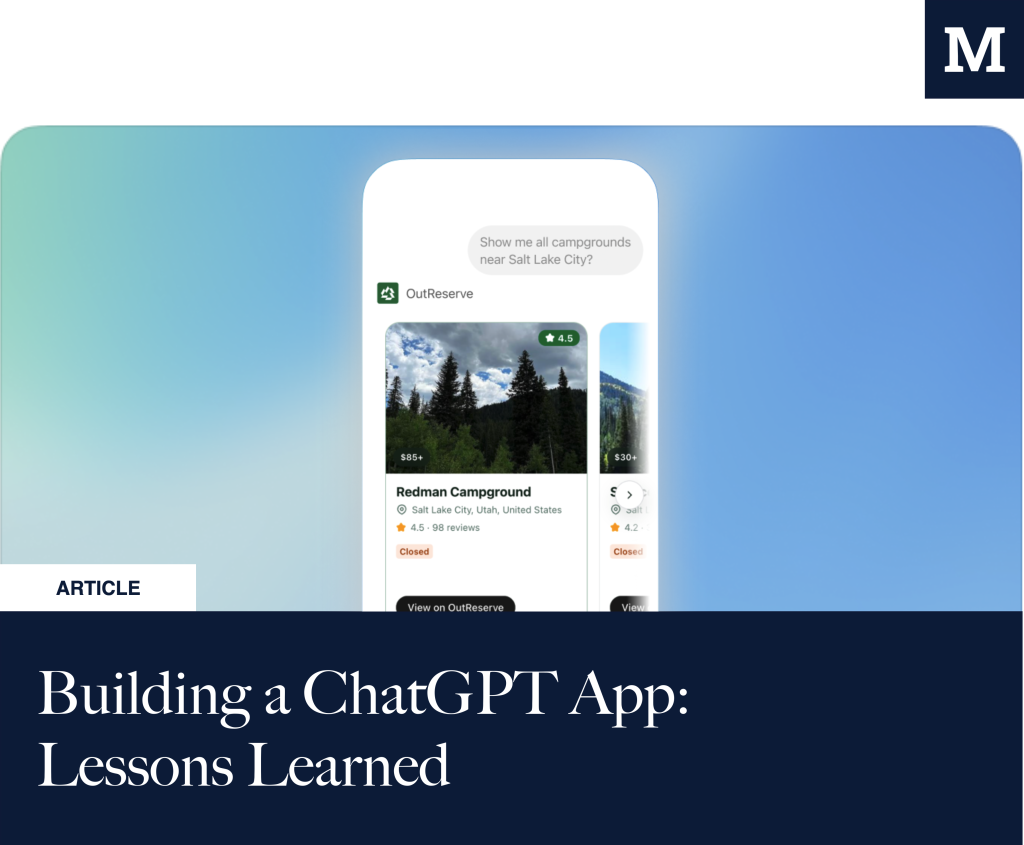
With the launch of the OutReserve ChatGPT App, we became one of the early adopters of OpenAI’s new framework for bringing external context, data, and interfaces into ChatGPT. My belief is that it will become a massive extension of ChatGPT as a platform. Meanwhile, the types of use cases and interactions are quite different from other platform shifts, and as a result, I think the bar is higher than for mobile applications (we don’t need a 500th step counter).
There is a lot of discussion right now about travel planning and AI. Some of it is thoughtful. Some of it is hand-wavy. My personal view is that AI will absolutely reshape how we discover, compare, plan, and make decisions about travel. But I do not believe AI providers will be able to solve actual booking, real availability, or deep trip context on their own anytime soon.
The reason is simple: the information is often not there, public, or sufficiently structured. So what did it take to build a ChatGPT App? As it’s new territory, there isn’t much documentation yet, and it’s mainly available on OpenAI’s Apps SDK site.
Lessons Learned
The Mental Model: An MCP is not just an API
An MCP server is not the same thing as a traditional REST or GraphQL API.
OpenAI’s Apps SDK uses the Model Context Protocol (MCP), as the connection layer between ChatGPT, your backend, and your UI. The MCP server exposes ‘Tools’ that the model can call, returns structured results (Resources), and can point ChatGPT to an embedded UI component (HTML) that renders inside the conversation.
That sounds similar to an API at first, but the operating model is different.
With a normal API, your product decides when to call endpoints. With a ChatGPT App, the model decides when to call tools based on the user’s intent, your tool descriptions, your metadata, and the conversation context. This is where testing prompts come in to ensure the right data is being served and that what you’re providing in the submission process is correct.
That changes how you design. You are not just designing endpoints. You are designing guidance for the model.
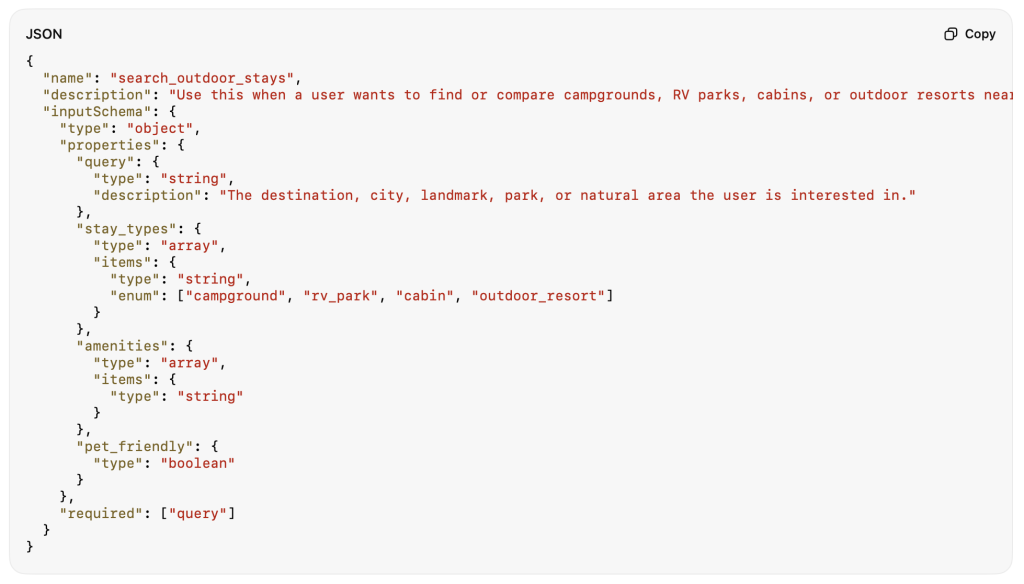
That means tool names matter. Descriptions matter. Input schemas matter. Output schemas matter. Negative cases matter. The model needs to understand not only what your app can do, but when it should and should not use it.
For OutReserve, this meant thinking less like: “What user intent should ChatGPT recognize, what tool should it choose, what structured data does it need back, and what should the user see next?” That is a very different product and engineering workflow, and where an API might not require any design resources, this one surely does.
Lesson 1: You might need to provide a Tool or Resource that simply lists the available filters or options, so you can provide more context about what the Chat might allow users to do. In our case, we exposed a list of available filter options with clear descriptions of what they entail: Pet Friendly and Amenities (50+ options). Because just putting a random Amenity in a search doesn’t mean we know how to deal with it.
Lesson 2: You’re exposing UI elements over time that are tied to the specific Tool calls instead of a generic response. Think ahead of what information needs to be exposed.
Tool Design: Start Narrower Than You Think
One of the biggest early decisions is how many tools to expose. You can easily overbuild this. Not every internal endpoint needs to become a tool. In fact, exposing too many tools can make it harder for the model to pick the right one.
For OutReserve, we focused on tools for user intent rather than backend structure. A user does not say, “call the search endpoint with latitude and longitude.” They say:
“Find campgrounds near Grand Junction.” or: “Show me RV parks near Yosemite that are pet friendly.”
That means the tool needs to be designed around the actual job the user wants done and rebuild some of the infrastructure to, for example, decode search locations.
A simplified version of a travel search tool might look conceptually like this:

Location Resolution Is a Product Problem
Search sounds simple until you realize how vague most user inputs are via conversational search. A user might search for:
- campgrounds near Yosemite
- RV parks close to Grand Junction
- cabins near Tahoe
- camping around Zion & rates
Those are not clean database queries. And there is a difference between a query related to a National Park and one about a regular city/town.
Designing the UI
The hardest part, in my opinion, is that there is a good amount of guidelines and principles to follow. In our initial version, we opted to use the Apps SDK UI as much as possible and only enhanced the color schemes to match our visual identity. The guidelines are quite extensive and focus heavily on making the experience immersive, which I understand from their perspective.
Lesson 3: The components are useful but not extensive, and they don’t cover all our travel use cases (hello, DateRangePicker), so we had to stitch them together with a bunch of additional JS to validate input. We’ll submit a couple of PRs in the next few weeks to help support these initiatives. So either plan around it or write your own components.
Lesson 4: Managing ‘State’, Transitions, and DisplayMode is tough. Because response latency can be high, we opted to provide a skeleton state loader for certain views while ‘translation of context’ takes place in the background. Think that through before you start.
Lesson 5: Empty states matter more than you think, as the input is not predefined, you will have an extensive set of things that might turn into a non-response. You’ll want to guide ChatGPT correctly so that it doesn’t likely show empty widget responses.
Lesson 6: Mobile layouts are not optional; intent to design for every screen resolution. OpenAI recommends using Tailwind CSS, which we already did, making things easier.
Content Security Policy / Approved Domains + What to Include
You’ll have to ‘Allow List’ all domains that touch the interaction, including your CDN and external image/map providers, to ensure that no information leaks. Not hard, but not a topic in regular software development, I’d argue you have to think about every day.
Payload Design: What the Model Sees vs What the Widget Sees
The model needs enough information to explain the result. The widget needs enough information to render the experience. Your backend needs to keep sensitive, noisy, or unnecessary fields out of the model-visible payload.
That design decision affects UX, privacy/security, performance, analytics, and response quality/latency.
Testing the Integration & Validating Output + UI
In essence, the views inside are just plain HTML, but because they’re interactive, testing these integrations becomes much more cumbersome. So be prepared for a lot of building time, refreshing the experience, etc., to see what is being returned.
- MCP Inspector & MCPJam: Great for the building phase, they’ll show you the MCP endpoints, lets you test their output and MCPJam does a great job of visualizing the UI.
- Developer Mode + NGrok: To get as close as possible to production mode you want to expose your development version, via Ngrok, so that you can test the actual integration within ChatGPT. Through Apps & Developer mode you’re able to test the MCP.

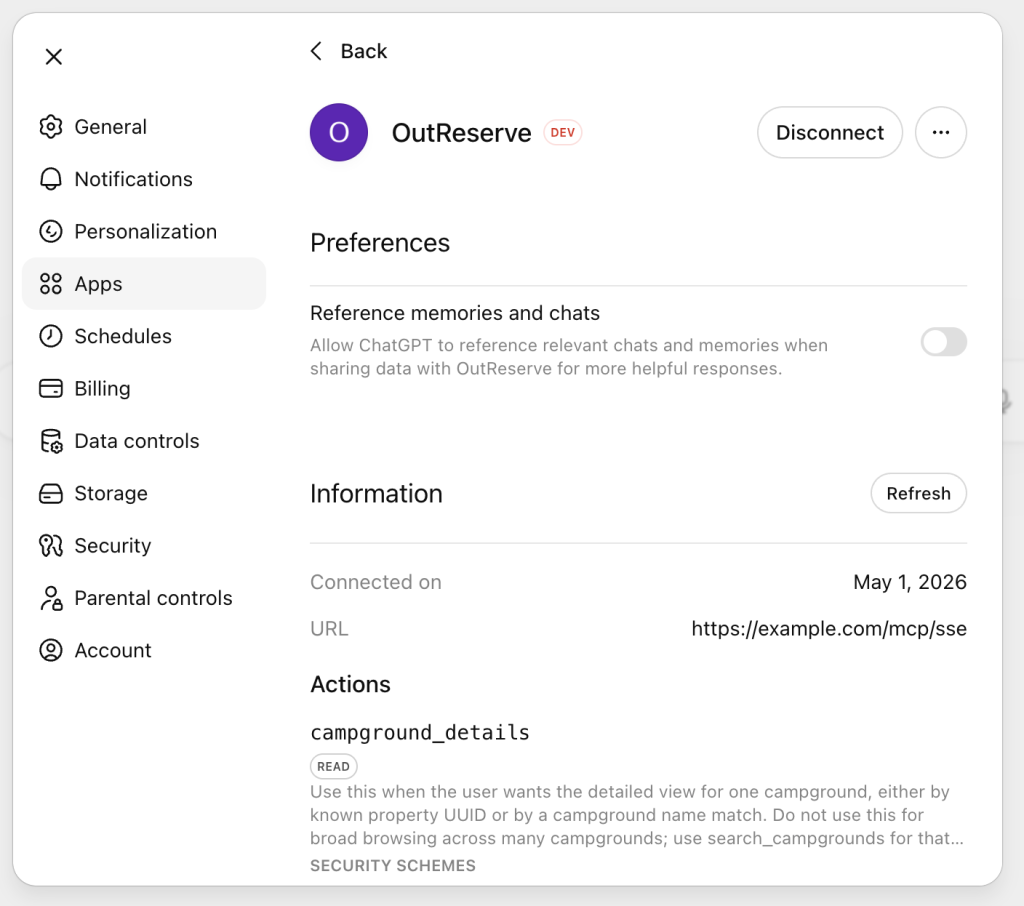
Get ready for a lot of refreshing and display mode optimization (mobile, web, mobile app, etc.).
Lesson 7: OpenAI calls this your ‘golden prompts’, and while it sounds exaggerated, you will want to have an extensive library of prompts & expected responses to validate against. Especially for our travel use cases, we have a ton of filtering options, which can lead to many edge cases.
Submission & Approval Process
The submission process forces you to consider product quality, safety, privacy, and usefulness, since it’s an extensive form! I’d recommend starting there and almost working your way backward. In the initial version, we are not requesting user authorization as our use cases are public and don’t require it. This was making the build, testing, and integration process simpler. So we’re preparing for this stage to allow users to get more context from their account (or save actions to it).
How long did it take? From submission to review, it took 1.5 weeks.
Analytics
For the measurement & analytics nerds, I’ll plan another post on how we’re measuring the App’s impact and interactivity. It’s a new territory/platform, and only with the app’s launch have we been able to gain insight into adoption & behavior. We are tracking adoption & usage through a combination of server-side and classic ‘front-end’ behavior tracking.
Final Thoughts: Structured Data Matters
The biggest lesson for me is that ChatGPT Apps are not just another integration channel. They are an early version of a new distribution surface.
For categories with clean, structured, real-time data, this will be powerful. For categories with fragmented, messy, or offline inventory, it will be even more important because the AI layer cannot invent trustworthy context out of thin air.
For OutReserve, the ChatGPT App is one early step in that direction.